
Where to Apply for a Driving License Online in Nepal?
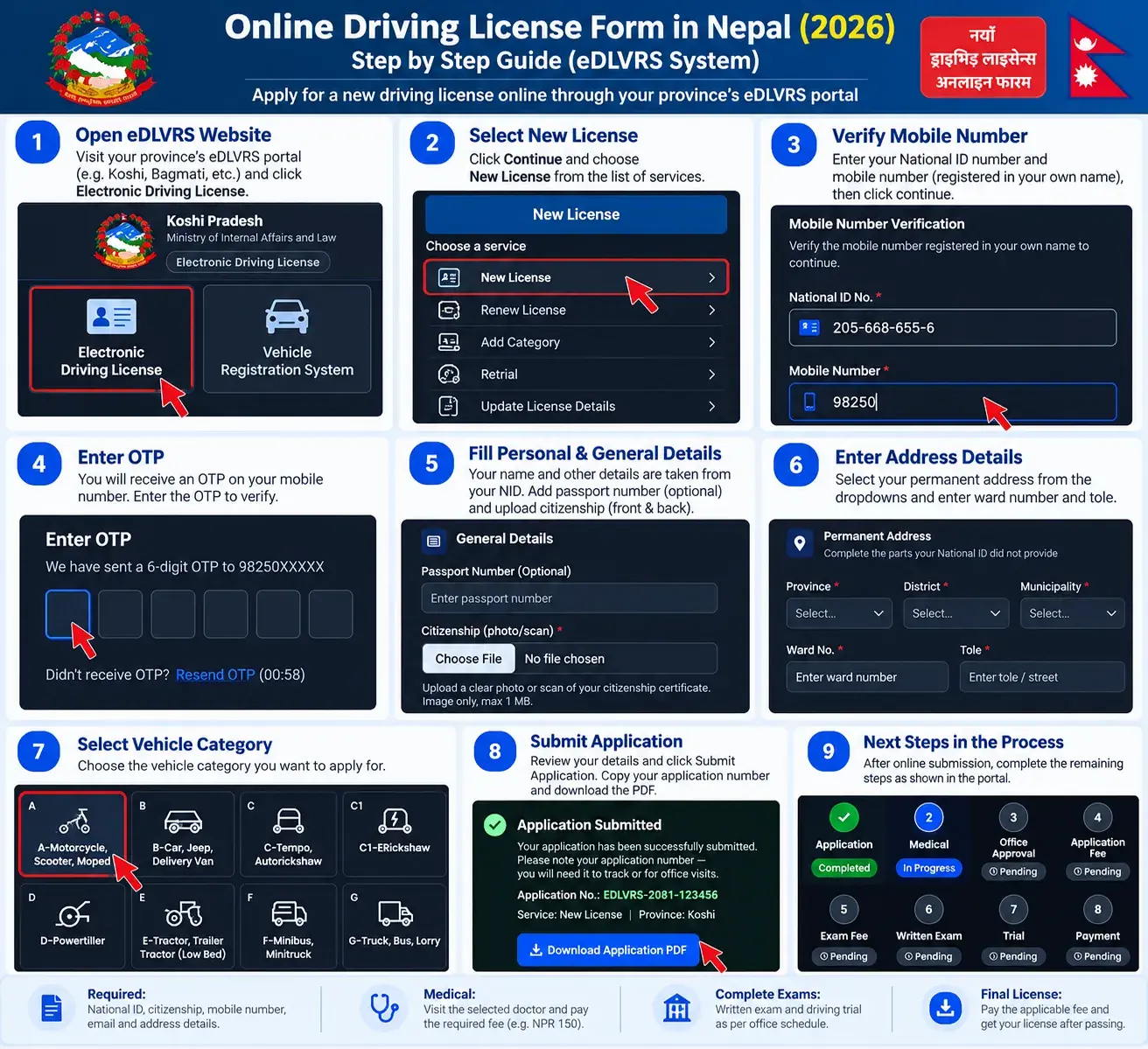
Choose the provincial eDLVRS portal where you intend to apply. The portal provides the Electronic Driving License service separately from vehicle registration. Use the official government website to submit your application.
Government services and portal availability may vary by province. If a provincial link does not open, check the DoTM website or your transport office’s current instructions.
Documents Required for the Online Driving License Form
How to Fill Out the Online Driving License Form in Nepal?
Driving license form kasari bharne? Follow these steps to complete your new license application through the official provincial portal.
Open your province’s eDLVRS website
- Visit your provincial application portal above.
- Select Electronic Driving License and click Continue.
- Choose New License (नयाँ सवारी चालक अनुमतिपत्र).
Do not select Vehicle Registration System, which is for vehicle-related services.
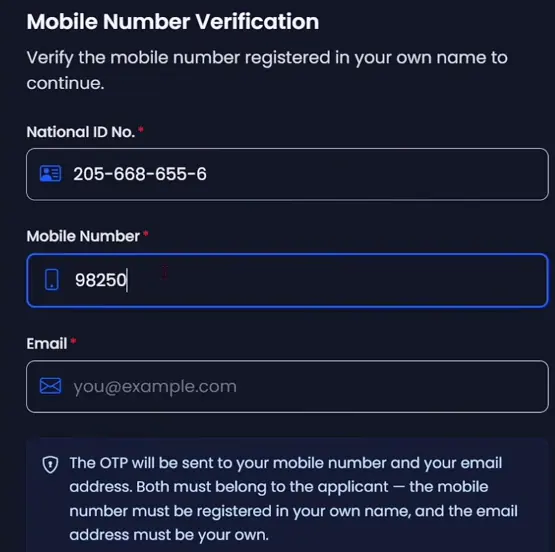
Verify your National ID and mobile number
You can verify using the Nagarik App QR code or directly with your National ID number. For direct verification, enter your NID, 10-digit mobile number and personal email, then complete the OTP verification.
Complete your personal and address details
Review the information retrieved from your identity records. Complete any remaining fields, upload your citizenship certificate and enter your permanent address. Add your temporary address if it is different.
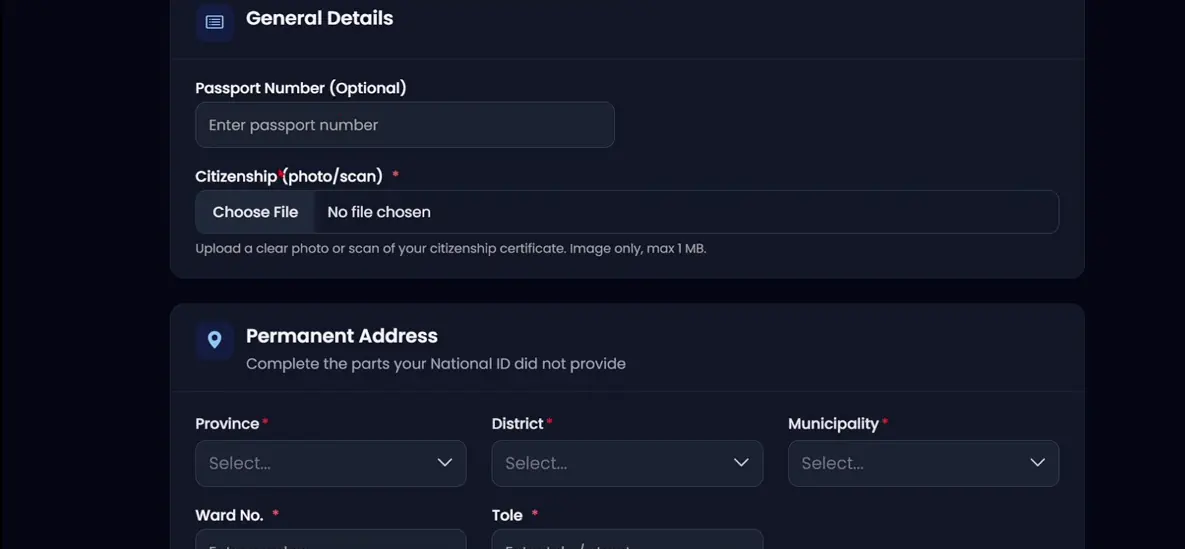
If your name or citizenship details are incorrect, resolve the mismatch with the relevant authority before submitting.
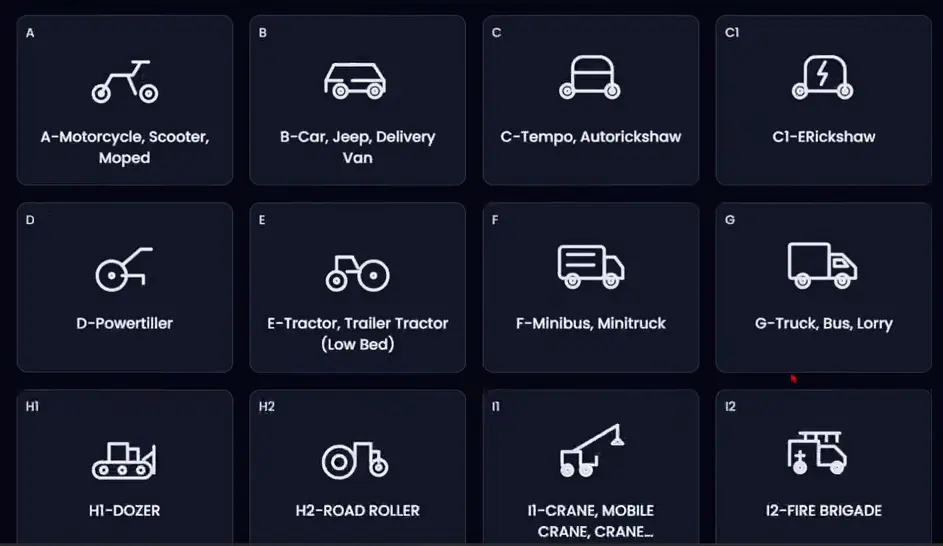
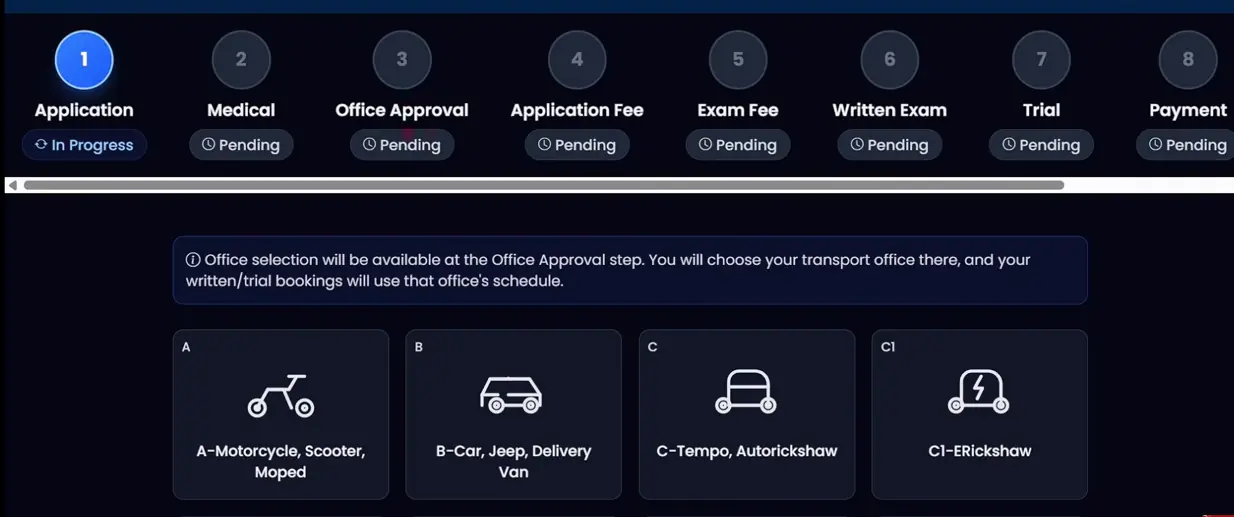
Select your vehicle category
Choose the category that matches the vehicle you intend to drive. The illustrated eDLVRS interface shows A for motorcycles, scooters and mopeds; B for cars, jeeps and delivery vans; and further categories for commercial and specialized vehicles.
Submit the application and download your PDF
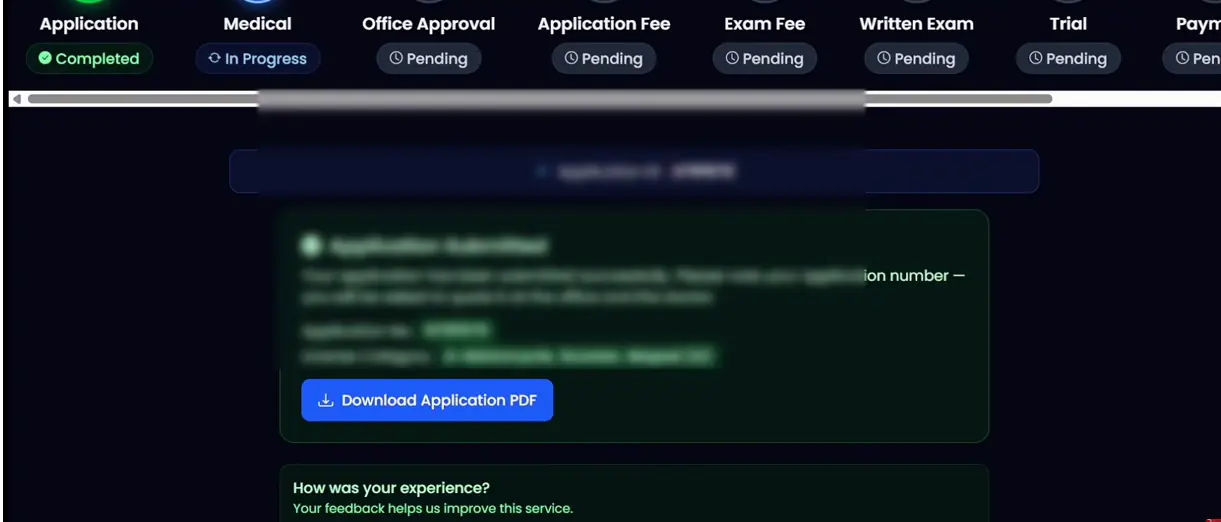
- Review the entered details.
- Click Submit Application.
- Save your Applicant ID or Application Number.
- Click Download Application PDF and keep a copy.
What Happens After Submitting the Driving License Form?
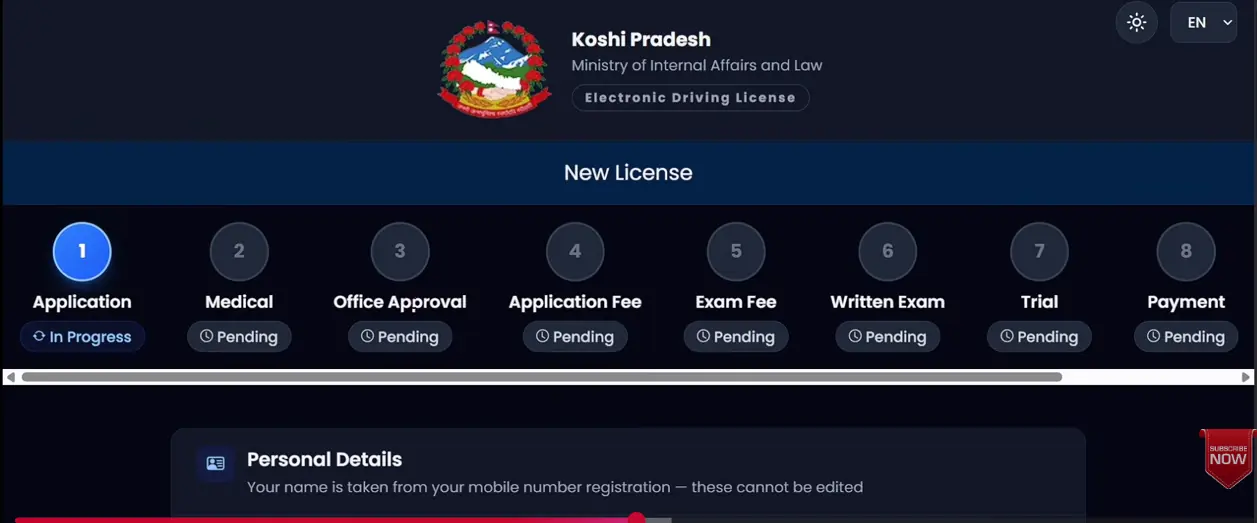
The main flow is Form → Medical → Office Approval → Written Exam → Trial. Complete the required payments when prompted by your provincial portal.
- Medical examination: Open the Medical stage on your dashboard. Select an available authorized doctor or clinic and attend with your application details. Confirm the medical fee before paying.
- Office Approval: Follow the office-selection and approval instructions on your dashboard. NID-linked biometric details may reduce separate biometric visits where supported.
- Written exam: Complete the required application and exam payments, then attend your written exam (लिखित परीक्षा) on the scheduled date.
- Driving trial: After passing the written exam, follow the office’s instructions for your practical driving trial (ट्रायल परीक्षा).
- After passing: Complete the remaining payment and licensing steps shown by your office. Keep your receipts and license details. Passing the exams does not mean your physical smart card has already been printed.
Check Your Smart Driving License Print Status
Already have your driving license number? Use our free checker to look for your smart license in the published DoTM lists.
Enter your driving license number to search the available government print records. If a match appears, check the applicant details, office and record date.
Check My License Print Status →How to Check Your Driving License Application Status?
Open the same provincial portal and access your application dashboard or tracking option. Use your Applicant ID or the QR code on the application PDF where supported. The dashboard can show stages such as Pending, In Progress and Completed.
Old DoTM Form vs New eDLVRS System
The older DoTM application portal uses mobile registration and MPIN verification. The newer eDLVRS service provides province-based access and National ID integration. Use the system currently designated by your transport office; avoid duplicate applications.
| Feature | Older DoTM portal | eDLVRS |
|---|---|---|
| Registration | Mobile number and MPIN | NID or Nagarik App |
| Personal details | Applicant profile | NID-linked details |
| Access | Central portal | Provincial portals |
| Biometrics | Office-based process | NID integration where supported |
Common Problems and Solutions
OTP aayena? (OTP not received)
Check your number, wait before requesting another OTP, and verify that the SIM is registered in your own name.
Incorrect name or citizenship details
Compare the information with your NID, citizenship certificate and SIM registration. Contact the relevant authority to correct any mismatch.
Citizenship photo not uploading
Use a clear image in the accepted format and size. If your portal specifies a maximum of 1 MB, reduce the image size before uploading.
Application PDF not downloading
Check browser download permissions and revisit your application dashboard to find the PDF download option.
No office or exam date available
Availability depends on your province and office schedule. Check the next required stage and official notices.
Frequently Asked Questions
Naya license ko form: Can I apply online in Nepal?
Yes. Use the official portal designated by your province. Medical checks, exams and other required steps still apply.
Is a National ID required?
The updated eDLVRS process requires National ID verification. Contact your provincial office if you do not have an NID number.
Can I apply without Nagarik App?
Yes. You can use the direct NID verification option where available.
Can I apply for a motorcycle license online?
Yes. Choose Category A for motorcycles or scooters in the shown eDLVRS interface.
Do I need to visit for biometrics?
NID-linked biometric information may remove a separate biometric visit where supported. Follow any office-specific instructions.
How do I download the application form?
After submitting, use Download Application PDF and save your Applicant ID.
Can I renew my license using eDLVRS?
The portal offers a renewal option. Choose Renew License and follow your province’s instructions.
Check Your Smart Driving License Print Status
Completed your application and received a driving license number? Check the published print records before contacting your office about collection.
Enter your driving license number to search the available government print records. If a match appears, check the applicant details, office and record date.
Check My License Print Status →